
Final Product Development
Screen Display & System
Early ideas investigated how physical form, visual guidance, and interaction design could reduce cognitive load and improve confidence during preparation tasks. Manifesting this into a working prototype by diving deep into UI and UX highlights these key issues that workers face at BSK.
Simple, Accessible System
Modular and adaptable to individuals and businesses.
Try it out!
Feature 1 - Colour Coded Pictograms
Each drink type has its own individual colour and shape that is easily identifiable and differentiable so mistaking a drink is not as prominent anymore. This allows more accessibility for people who have difficulties reading or memorising drinks types.


Drinks may include different milk types to accommodate to different customer’s dietary needs. These are separated by colour as a list which is the same for all drinks so users can easily memorise which milk is in a specific position. Shapes were not included here to purposely lighten the cognitive load on the screen as there are many different drinks here - integrating more shapes would harm the user experience.
Feature 2 - Text to Speech & Audio Cues
Each drink type has its own individual colour and shape that is easily identifiable and differentiable so mistaking a drink is not as prominent anymore. This allows more accessibility for people who have difficulties reading or memorising drinks types.

“ESPRESSO Press To Start”

The voice guidance reads each step out along with simple instructions. It reads it clearly and at a medium pace in order for users to accurately follow the guidance. This was implemented after research into BSK cafe where there are multiple users who had trouble reading, this was partially adapted for with Feature 1 but to have a larger range of accessibility this was a vital feature. Once each step of the drink has successfully been completed, a audio cue will ring.
A soft two-note ascending ping (880Hz → 1175Hz, sine waves with smooth decay) plays each time a step completes and the next one begins.
A gentle three-note major arpeggio (C–E–G, 523→659→784Hz) plays when the drink is finished.
Volume is kept low to be background friendly for a busy cafe environment but penetrating enough so users can associate the sounds to completion of steps and drinks.
Feature 3 - Isolated Steps & Icons
Each drink type has its own individual process and altered process if it contains a different milk option. Each step has its own dedicated page which shows clearly the current step, the scale reading and the progress bar.
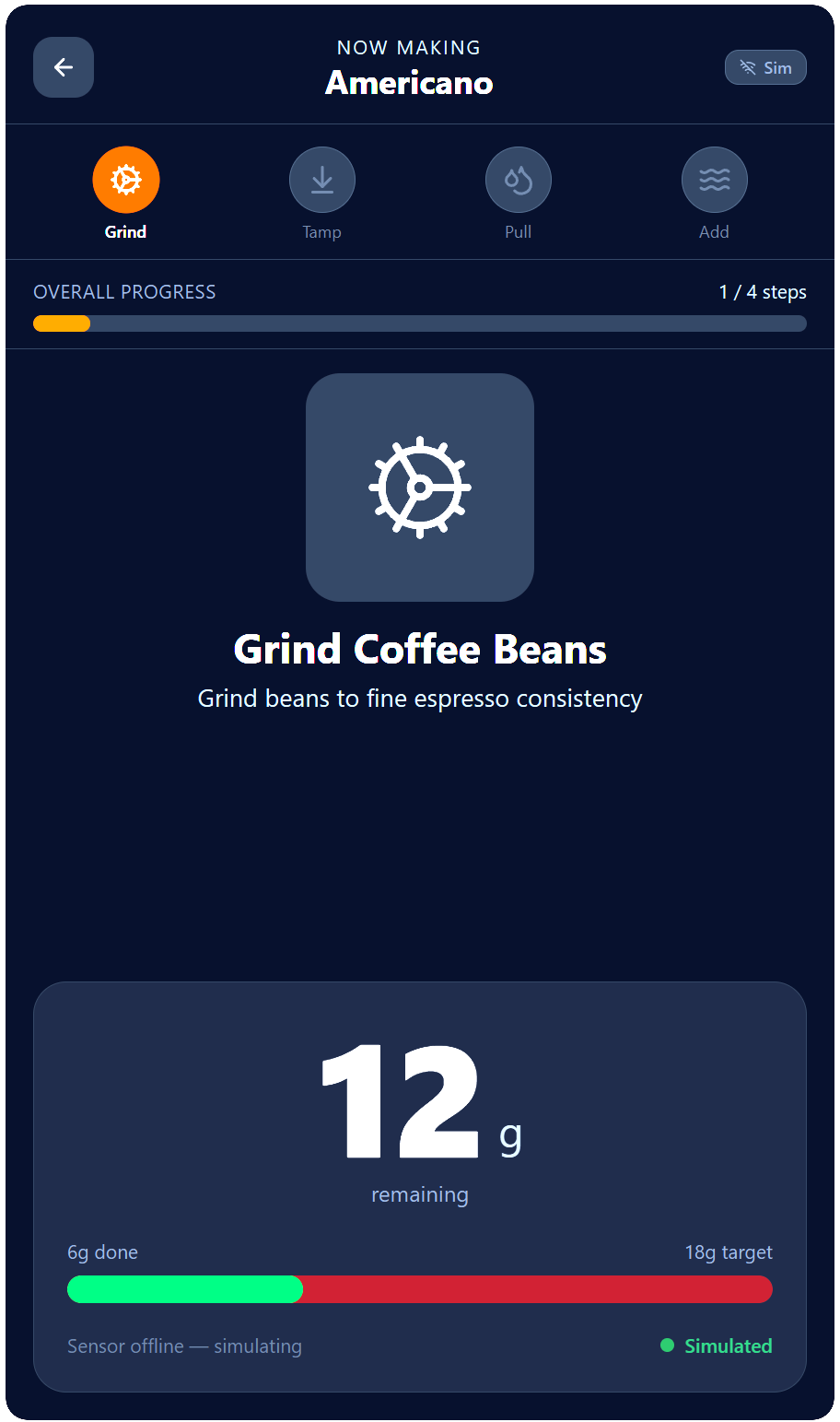
Each step is isolated and moving onto the next step is not possible, the only way to move onto the next step is by completion of the current step which requires the correct amount of media added to the coffee cup on the scale. Users have an option to Tare the scale before a drink starts or at each individual step in case there is an issue encountered.
Exploring UI/UX
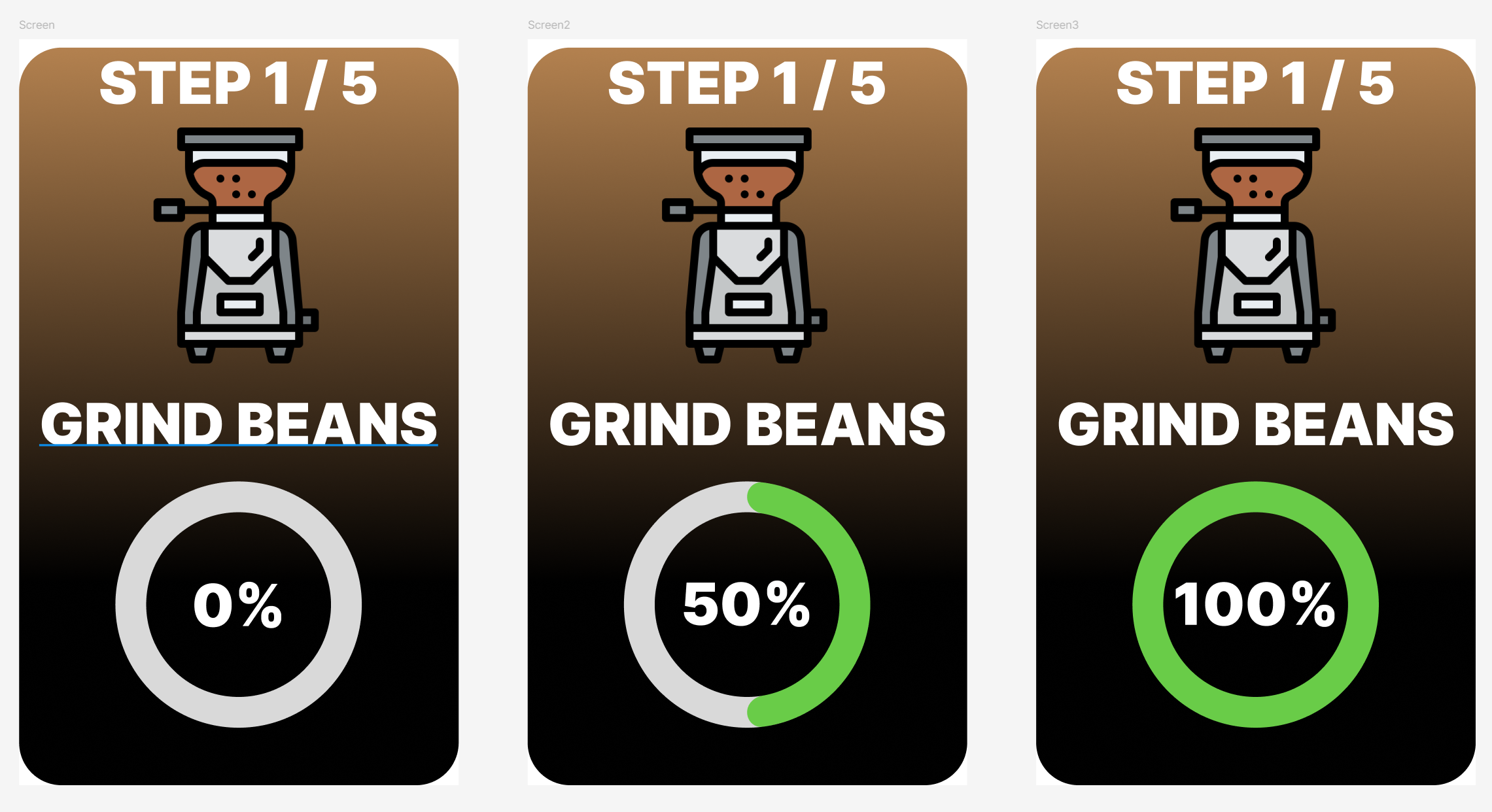
The iterations of the UI of the screen to eventually landing on the colour coded pictograms instead of being plain or using complicated icons/emojis. These were made and iterated on with the assistance of Figma Make.
Back to the final product!
Final Product
Take me there!